v0.10.0 is one of our biggest release yet. It brings AI-powered SaaS spend reports, a full MCP API and MCP key management UI, support for Google Workspace, smarter license controls, and a raft of reliability improvements under the hood.
Lens AI Reports
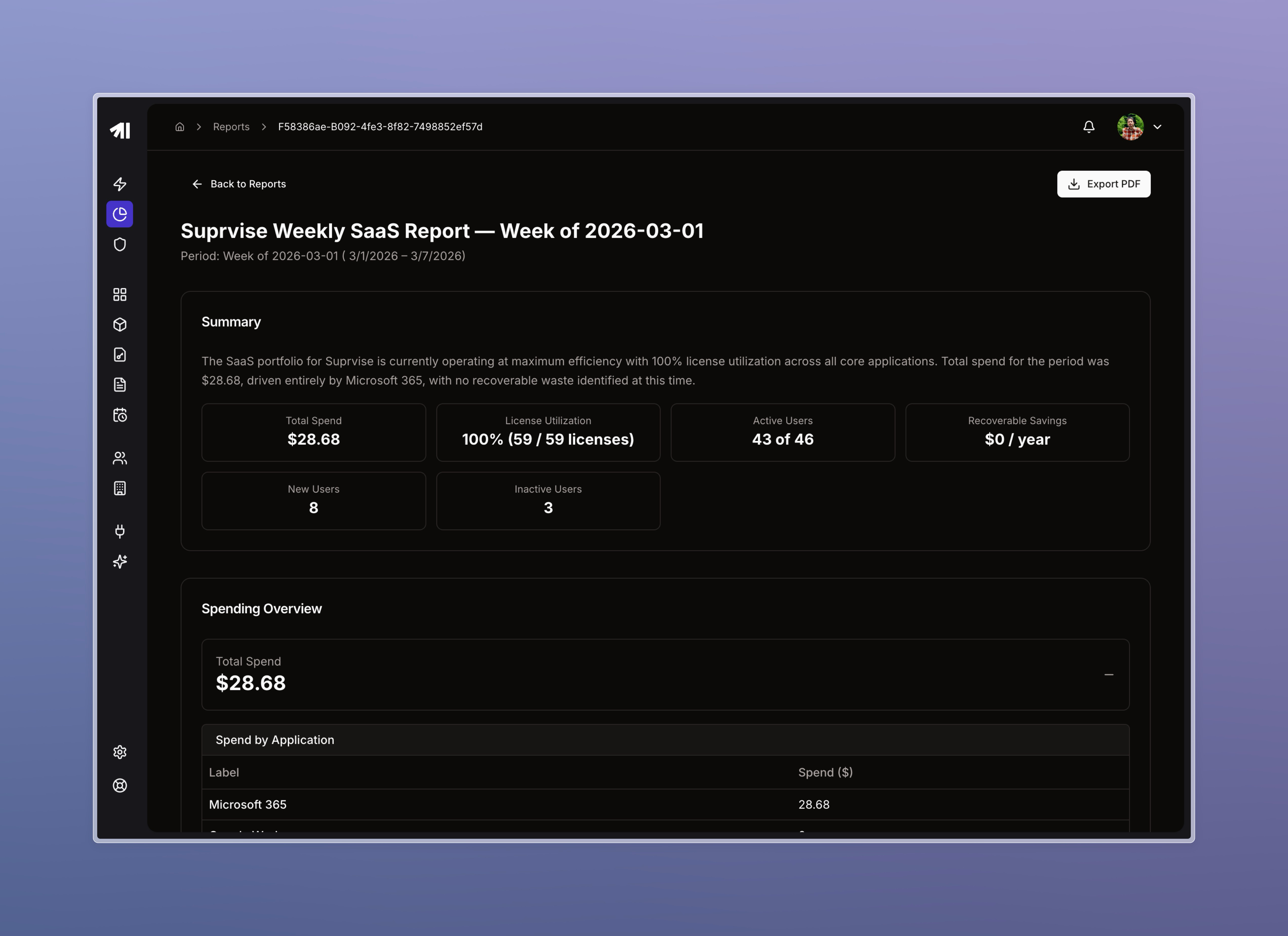
The headline feature of this release. Lens can now generate full spend intelligence reports — weekly, monthly, quarterly, or on demand — and export them as PDFs.
Automated scheduling: reports run on Monday mornings for weekly summaries, the 1st of each month, and quarterly/yearly cadences. No setup required.
On-demand generation: trigger a report manually from the Reports section at any time (up to 5 per org per month).
PDF export: every report can be downloaded as a PDF with charts rendered as clean tabular summaries.
The engine runs a two-phase AI pipeline: first gathering structured data across your integrations, then synthesizing a human-readable narrative with recommendations.
Lens MCP
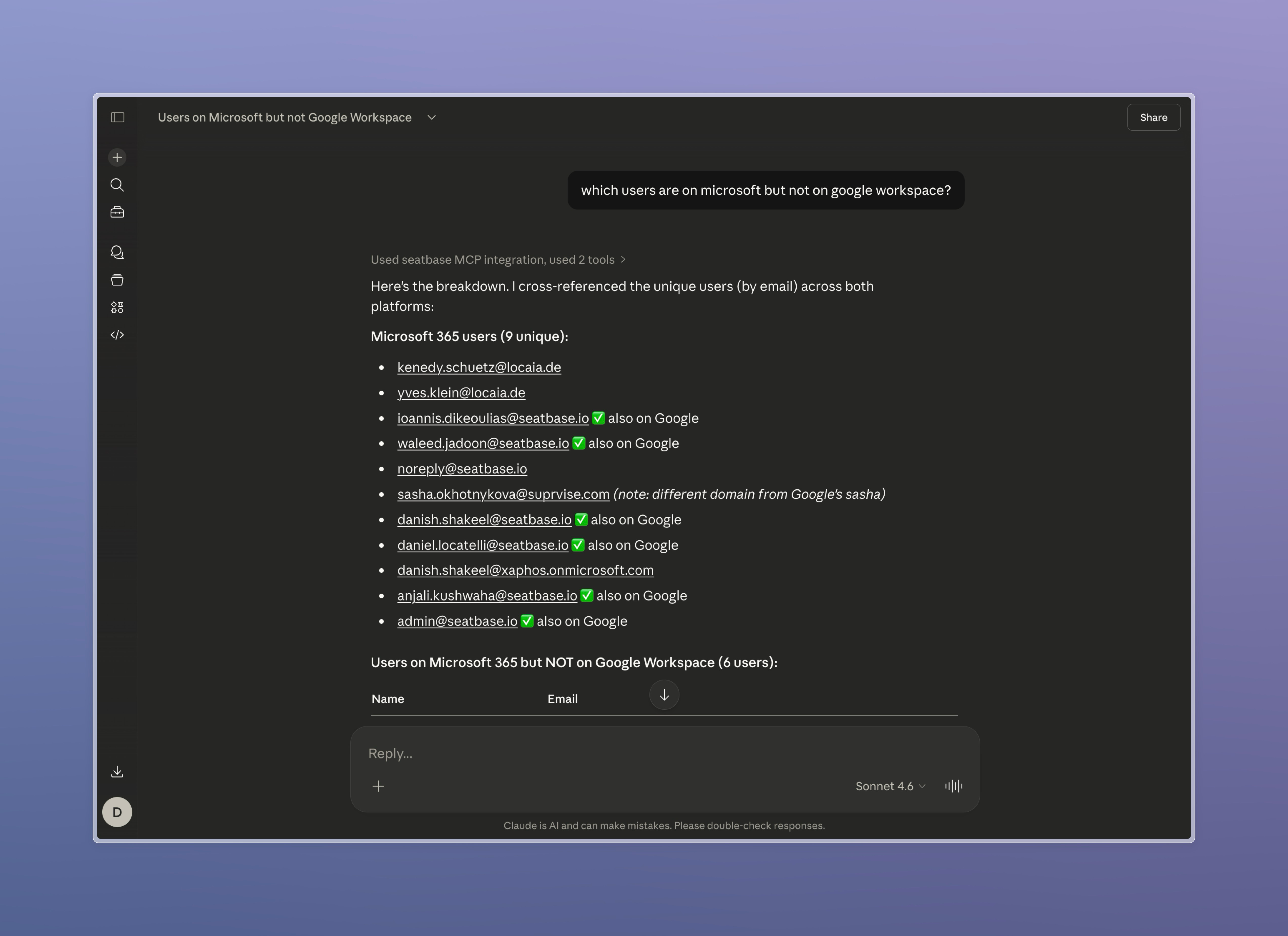
You can now use the seatbase MCP connector to plug into AI agents and get insights and data about your licenses, users, and spendings.
We have also added an MCP Credentials UI. You can:
Create and manage API keys directly from Organization page
Immediate revocation: deleting a key revokes MCP Client's’ access
‘Last used’ tracking: see when each key was last active
Per-key tool scoping: restrict which MCP tools each key can invoke, directly from the UI
To learn how to connect your client, you can check our guide : https://seatbase.featurebase.app/en/help/articles/7835245-configuring-mcp-client
Temporary License Provisioning
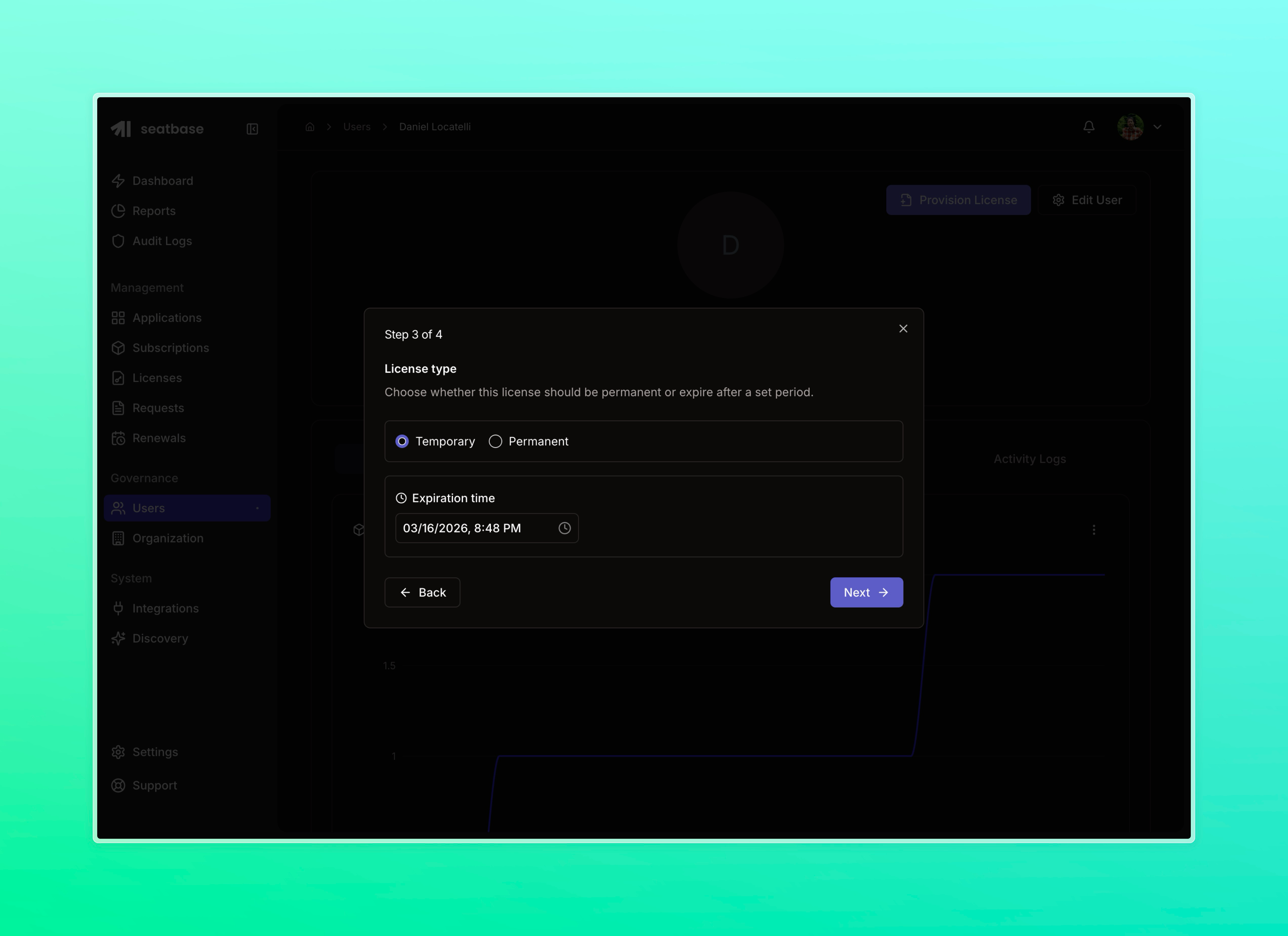
Admins can now provision licenses with an expiry date. When the expiry is reached, the license is automatically revoked — useful for contractors, trial periods, or project-based access.
Google Workspace Integration
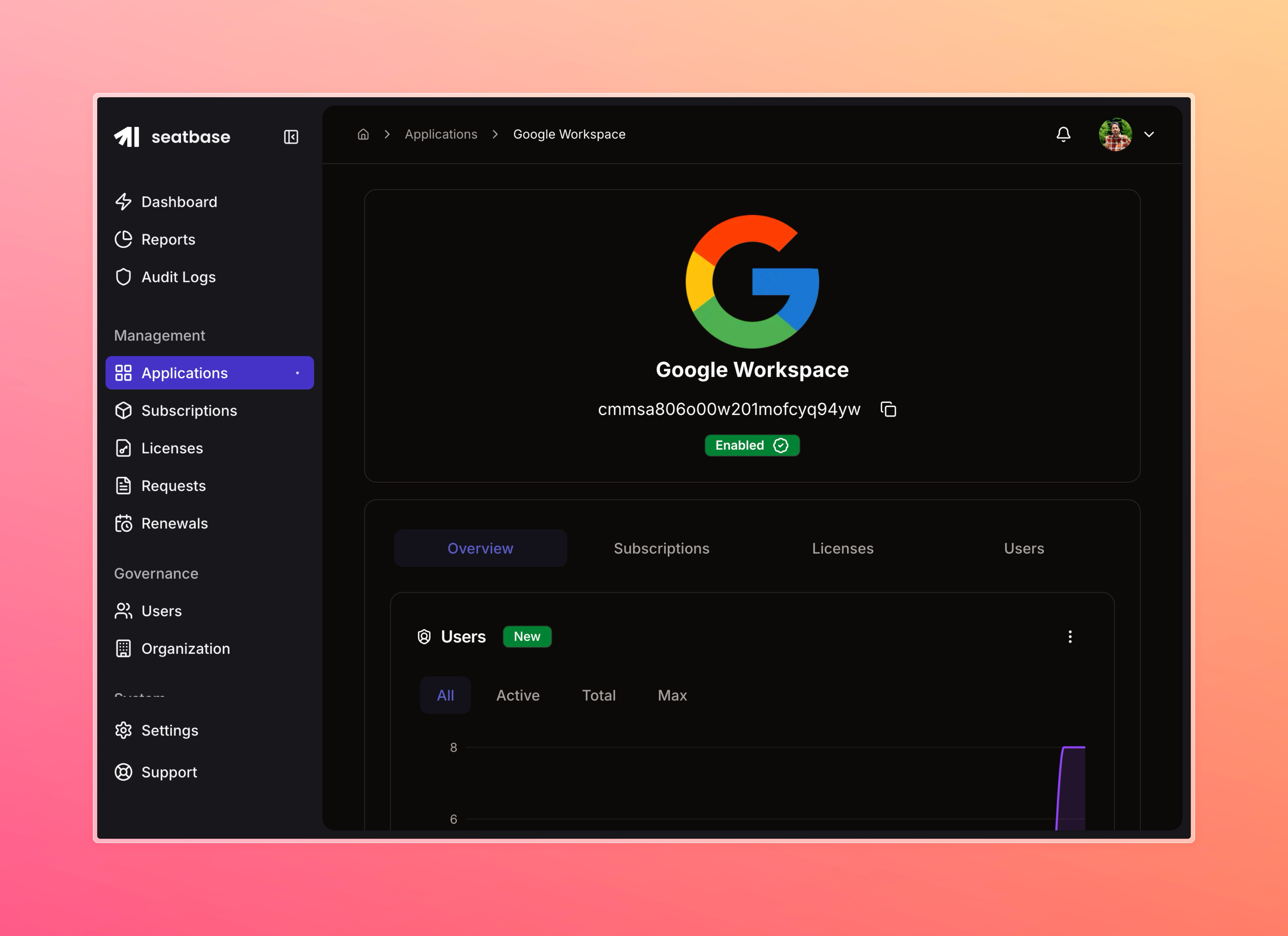
We have added support for Google Workspace. You can simply install Google Workspace from our Integrations library and get user, license, and subscription information from your Google Workspace account.
Note: The integration does not support Spendings data yet. We are working on it.
Functional Updates
User-Level License Management
Two new capabilities on the individual user page:
Provision a license: assign a license to a user directly from their profile
Revoke a license: revoke a license from the user page without navigating away
Real-Time Spend Charts
Spend snapshots are now updated by events, not just scheduled jobs. When a license is provisioned, changed, or revoked, the relevant chart data updates immediately. Dashboard trend badges now also reflect real data — no more hardcoded placeholders.
Human-Readable Traffic
Network traffic figures across the platform are now shown in human-readable units (KB, MB, GB) rather than raw byte counts.
Bug Fixes
Fixed a race condition during discovery sync that could cause duplicate or dropped records
Fixed trend calculation for spend widgets
Fixed loading of activity logs on the member detail page
Fixed the cancel button appearing incorrectly during app discovery loading
Fixed password update notification retry logic that was causing duplicate notifications
Questions?
If you have any questions about the new Groups system or the enhanced audit logs, please reach out to me at danish.shakeel@seatbase.io